It’s been an exciting first week since MemOrLearn officially launched!
We know that starting something new can feel overwhelming, even with a clean, all-in-one platform. Will the kids stick with it? How do you fit it into an already full homeschool day? What should you focus on first?
Here’s a practical guide to your first 7 days on MemOrLearn — designed to build momentum, avoid common pitfalls, and help you see tangible results quickly.
Step 1: Set Up for Success in Under 10 Minutes
- Create accounts for each child through your teacher account.
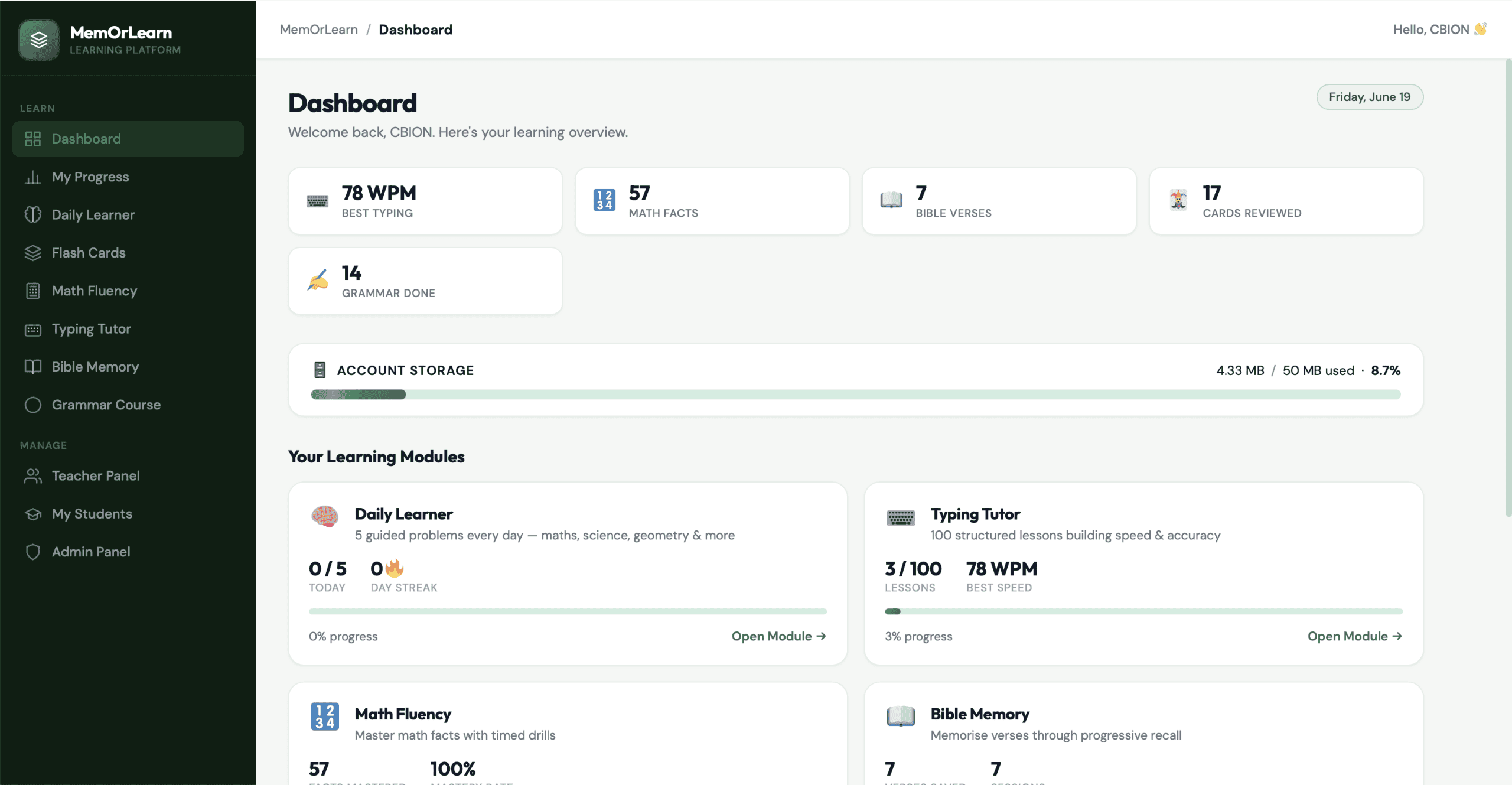
- Explore the main Dashboard together — it’s the command centre that shows progress across Typing, Math, Bible Memory, Grammar, and Flashcards at a glance.
- Set realistic daily goals: Even 15–25 minutes total can deliver great results when spread across modules.
- Tip: Use the Teacher/Parent Panel to link accounts, assign levels, and get an overview without opening each child’s profile separately.
Pro move: Do a quick “Readiness Quiz” in Math Fluency or try the first few Typing lessons as a family activity.
Step 2: Build a Simple Daily Routine That Sticks
Consistency beats intensity. Try this sample schedule (adjust to your family):
- 5 minutes — Bible Memory (See & Type → Gap Fill → Recall).
- 5–8 minutes — Math Fact Fluency (focus on one operation or weak facts highlighted in red/yellow).
- 5–10 minutes — Typing Tutor (progressive lessons that reinforce Scripture passages).
- Optional bonus — Custom Flashcards for any subject (vocabulary, history, science) or Grammar practice.
The built-in spaced repetition and adaptive system do the heavy lifting — you don’t have to manually schedule reviews.
Step 3: Track and Celebrate Early Wins
MemOrLearn makes progress visible:
- Color-coded mastery grids in Math (grey → yellow → red → green).
- Real-time WPM and accuracy in Typing.
- Verse retention stats in Bible Memory.
- Overall streaks and dashboard summaries.
Celebrate small victories publicly: “You typed a full Bible verse with 95% accuracy!” or “You mastered 20 new facts this week!” Stickers, extra playtime, or a family high-five go a long way. Early momentum is everything.
Step 4: Avoid These Common First-Week Pitfalls
- Trying to do everything at once — Start with 2–3 modules and layer in the rest.
- Ignoring weak areas — Let the platform’s adaptive engine prioritise them automatically.
- Skipping reviews — Spaced repetition works best with short, regular sessions.
- Going solo — Involve the whole family or co-op for accountability.
If something feels off, check the FAQ or reach out — we’re here to help.
Bringing It All Together
MemOrLearn was built exactly for this moment — turning good intentions into lasting habits without extra stress for parents. One dashboard, one login, everything working together toward real retention.
Your first week isn’t about perfection. It’s about showing up, building confidence, and experiencing the joy of Learning Faster. Remembering Longer. Mastering Forever.
Log in now and start your daily practice: memorlearn.com
Looking to start? Try the interactive demo or purchase a plan to unlock full access.
We can’t wait to hear about your family’s first-week wins. Drop a comment on our Reddit community, share on Facebook, or email us your story.